
Transparency
Trust is earned by showing your work. Here is how we account for every gift.
Where your dollar goes
Our goal is to put as much of every gift as possible directly into the hands of people in crisis.
How funds are tracked
Every gift follows the same four recorded steps.
Donation received
Your gift is recorded the moment it arrives.
Funds allocated
Money is assigned to a confirmed need.
Transfer sent
Funds move directly to the recipient.
Result reported
The outcome is logged and shared.
Our practices
Tracked from start to finish
Every donation is recorded on our digital platform, so we can follow each dollar from the donor to the person it helps.
Secure by design
Payments move through secure, regulated channels. We never ask recipients or donors to share card details by email or phone.
Reports you can read
We publish plain-language summaries of what we raised, what we sent, and who it helped.
What you see when you give through DDI
Gifts to DDI are made through the Emergency Activation Network. With a donor account, you can follow each one from your donation to the people it helped.
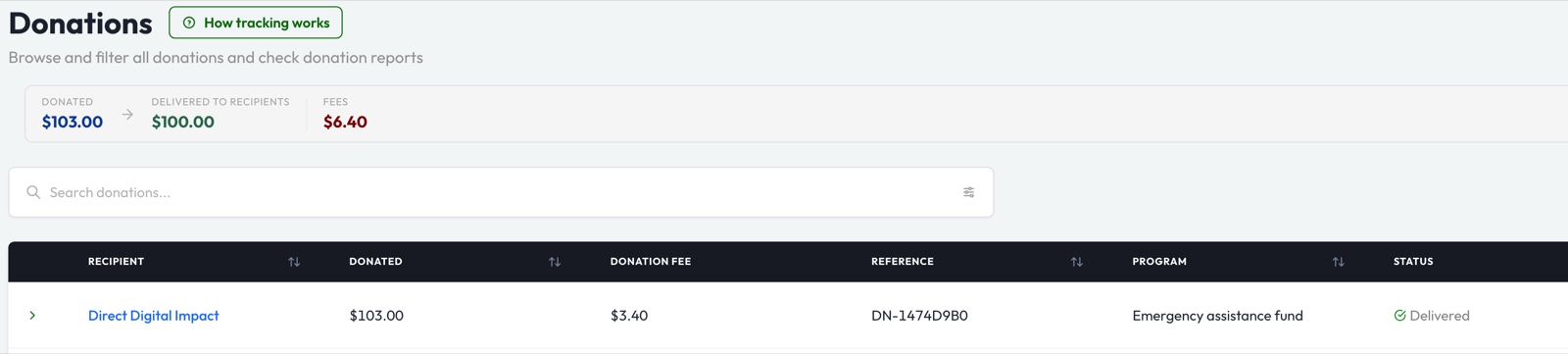
Every gift in one place
Your Donations page lists each gift with its program, amount and status. At the top, it totals what you gave, what reached people and what went to fees.
 Open full size (opens in a new tab)
Follow your money to each person
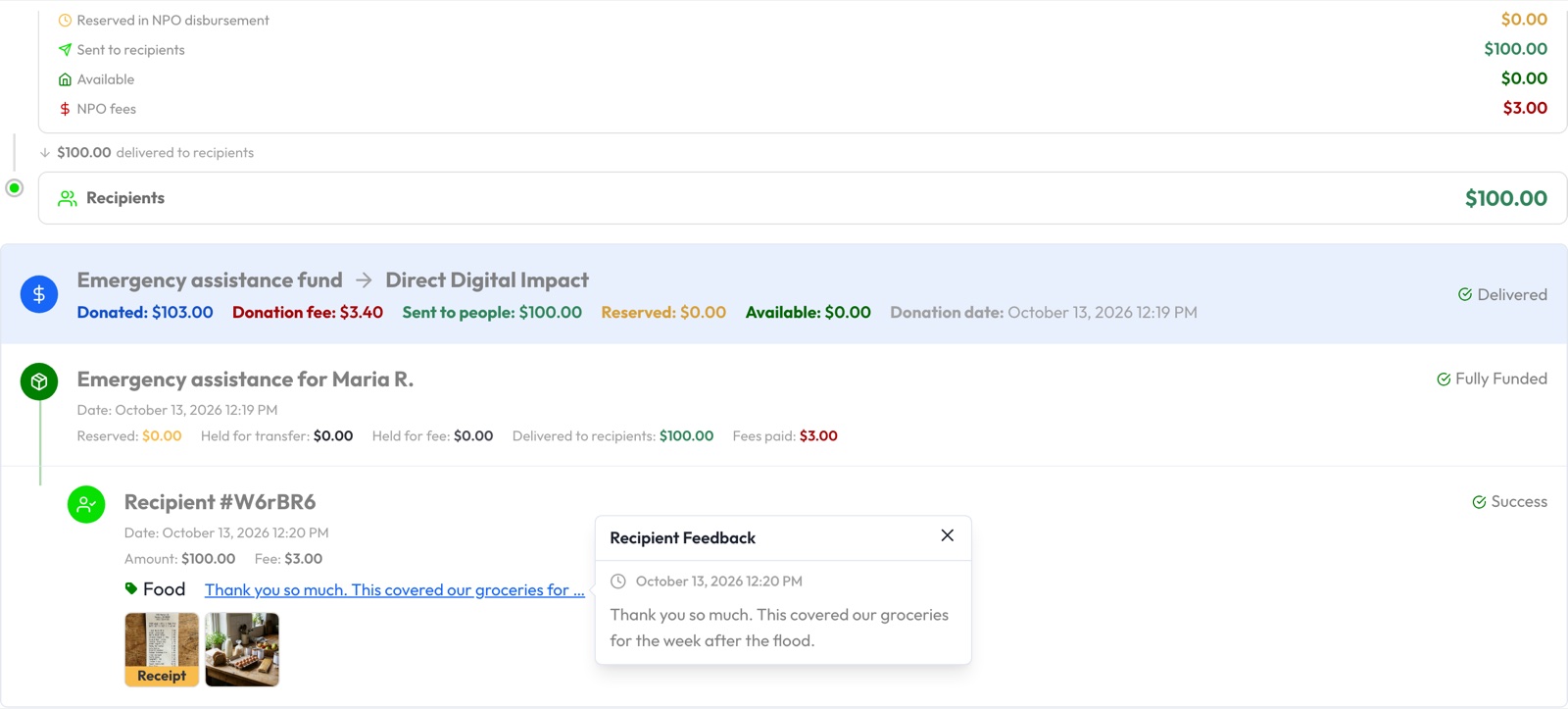
Open a gift to see every transfer DDI made with it: what each person received, the transfer fee and what the money covered.
 Open full size (opens in a new tab)
Hear from the people you helped
Recipients can send back a category, a short message, their receipt and a photo. They appear by a number, never by name, to protect their privacy.
 Open full size (opens in a new tab)
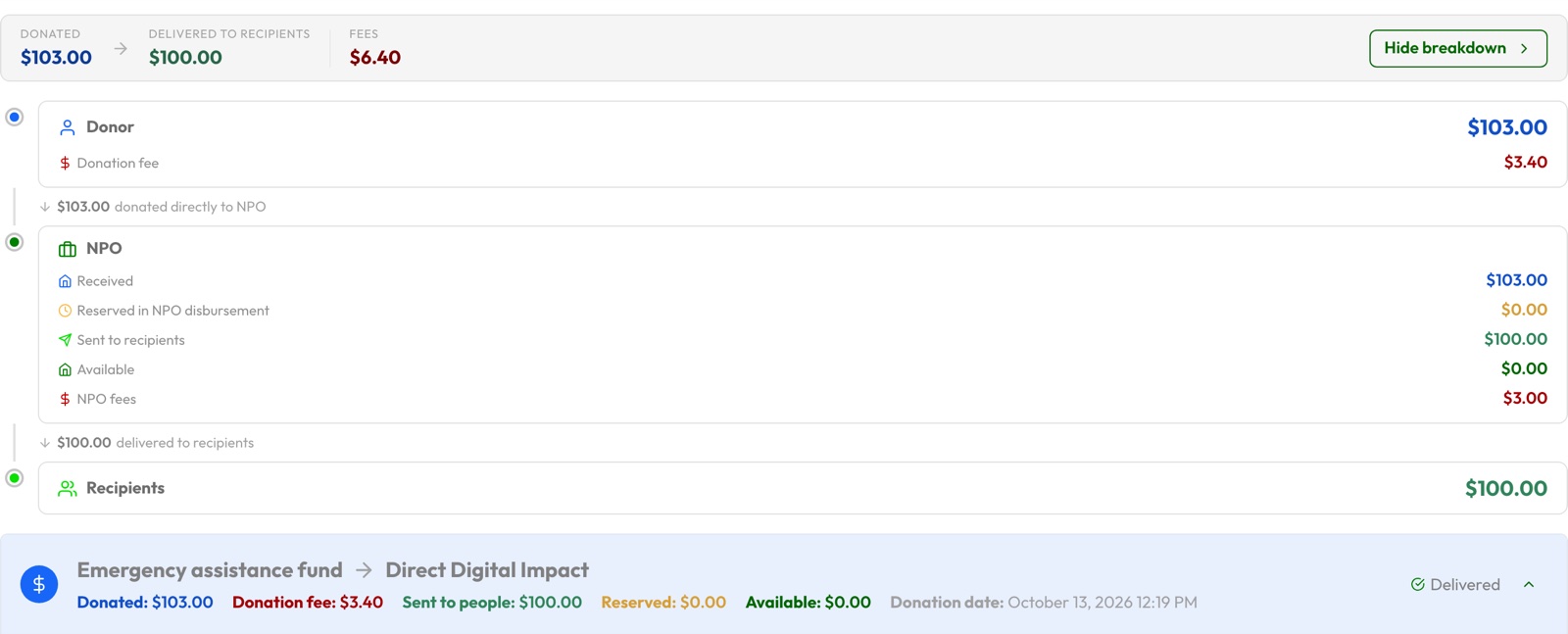
One report you can print
A single report follows every gift from you, through DDI, to the people it reached. Print it or save it as a PDF.
 Open full size (opens in a new tab)
Sample screens with example data. Tracking needs a donor account, so a gift made as a guest is not tracked. It opens once a gift is delivered, and not every recipient leaves feedback.
Questions about our finances
Direct Digital Impact is a nonprofit organization. If you have a question about how we raise or spend funds, email us at info@directdigitalimpact.org.
Give with confidence
See exactly where your support goes.